XLSM vs XLSX: What the Difference Actually Means
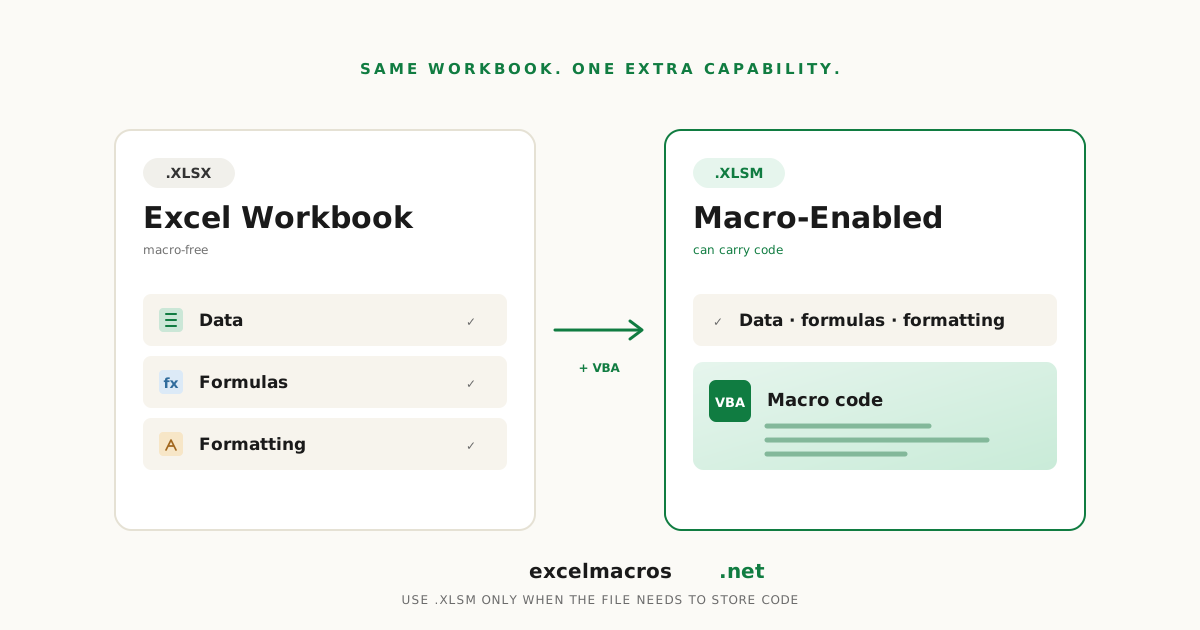
XLSM stores VBA macro code and XLSX cannot. Only the file holding the macro needs to be .xlsm. The workbook holding your data can stay .xlsx.
2026-09-04
XLSM vs XLSX: what the difference actually means
The difference between XLSM and XLSX is one thing: an .xlsm file can store VBA macro code and an .xlsx file cannot. Everything else about the two formats is identical. Both are the same XML-based workbook, with the same row limits, the same formulas, and the same formatting.
That single difference is why the question keeps coming up. People assume .xlsm is a different kind of spreadsheet, when it is really the same spreadsheet with permission to carry code.
TL;DR: Key takeaways
.xlsmstores VBA macro code..xlsxcannot store it at all.- Only the file that holds the macro needs to be
.xlsm. Your data file does not. - Opening an
.xlsmneeds no converter. Excel opens it like any other workbook. - Saving an
.xlsmas.xlsxdeletes every macro in it, permanently. .xlsxnever triggers the macro security banner, which is a good reason to prefer it for files you share.
The only difference that matters
Microsoft's file format reference is blunt about it. Excel Workbook (.xlsx) "cannot store Microsoft Visual Basic for Applications (VBA) macro code." Excel Macro-Enabled Workbook (.xlsm) "stores VBA macro code."
That is the whole comparison. Both formats arrived together in Excel 2007, both are XML-based, and both carry the same row limit. A workbook does not calculate faster, hold more data, or keep formatting better in one than the other.
The extension is a declaration, not a capability. It tells Excel whether the file may carry code, which is what makes Windows treat it as a security risk.
Only the file with the macro needs to be .xlsm
This is the part most explanations skip, and it is the one that changes what you actually do.
A macro has to live somewhere, and that workbook must be .xlsm. A workbook the macro merely acts on does not, because the code is not stored in it. Data produced by a macro is just data.
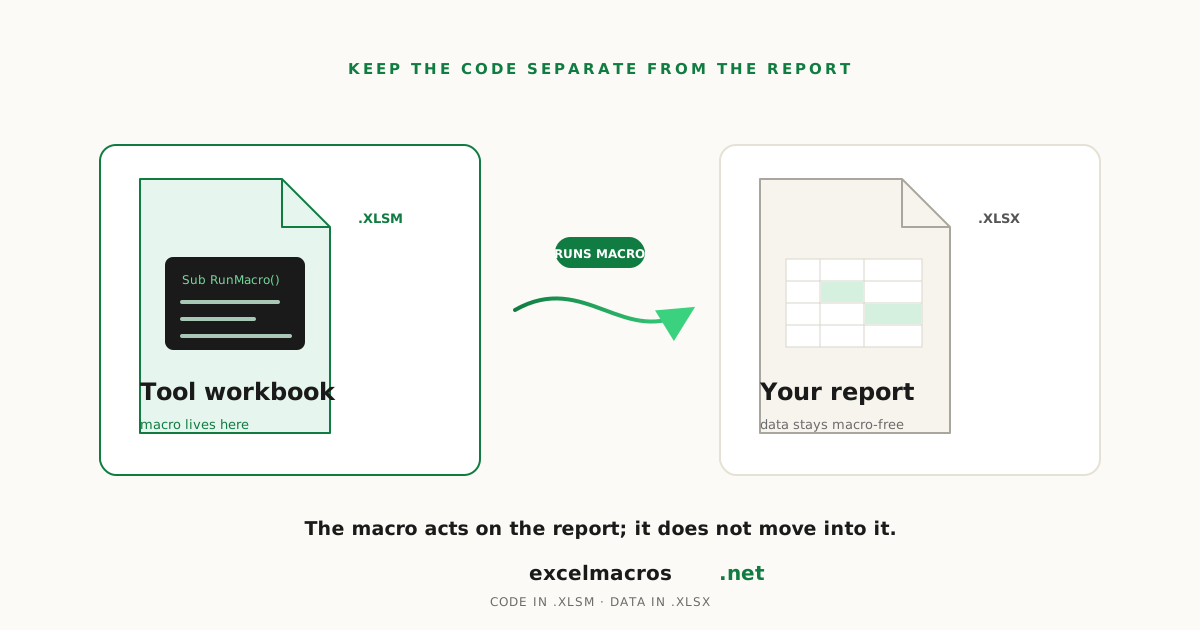
Every tool on this site works this way. The downloaded .xlsm holds the code, and it acts on whichever workbook is active, so your own file can stay .xlsx and never carry a macro at all. Running a downloaded macro covers the mechanics.
The practical version: keep macros in one .xlsm, keep reports in .xlsx, and hand out the .xlsx. An analyst emailing a monthly pack to twenty people should send .xlsx, since none of them need the code and all of them would otherwise meet a security warning.
How to open an .xlsm file
You do not need a converter, an add-in, or a web service. Double-click the file and Excel opens it, exactly like an .xlsx.
The only extra step is the security prompt, because the file is allowed to contain code. If you downloaded the file and see a red banner with no way to continue, that is Windows blocking it rather than Excel refusing to open it. Enabling macros when there is no enable button has the fix.
Excel for the web opens .xlsm files and shows the data, but cannot run the macros inside. Desktop Excel 2016 or newer is required for anything macro-related.
How to convert .xlsm to .xlsx
Use Save As. There is no separate conversion step.
- Open the
.xlsmand go to File > Save As. - Set the file type to Excel Workbook (*.xlsx).
- Click Save, then confirm when Excel warns the VBA project cannot be kept.
Be clear about what that confirmation does: it deletes every macro in the file. The new .xlsx has the data, formulas and formatting, and none of the code. Keep the original .xlsm if the macros still matter.
Converting the other way does nothing on its own. Saving an .xlsx as .xlsm does not add macros, it only allows the file to hold them later.
Where .xlsb and .xltm fit
Two neighbours come up in the same conversation. .xlsb is the binary workbook format: it also stores macros and can be smaller on very large files, but it is not XML-based, which makes it harder for other programs to read. .xltm is a macro-enabled template, for a starting point that carries code rather than a finished workbook.
For most people neither is necessary. .xlsx for data, .xlsm when code has to travel with the file.
Frequently asked questions
Is XLSM better than XLSX?
Neither is better. They are the same format with one difference in permission. Use .xlsm only when the workbook needs to store macro code, and .xlsx for everything else. Defaulting to .xlsm just means your files trigger security warnings for no benefit.
Does converting XLSM to XLSX delete macros?
Yes, permanently. Excel warns that the VBA project cannot be saved in a macro-free workbook, and confirming strips every macro from the new file. The original .xlsm is unchanged, so keep it if you might need the code back.
Why did my Excel file save as XLSM?
Because it contains a macro, and Excel refuses to save macro code into .xlsx. This happens after recording a macro, or after opening a workbook that already had one. If you do not want the macros, save as .xlsx and accept the warning.
Is XLSM safe to open?
The format itself is safe, but it can carry code, which is why Excel warns about it. Judge the source, not the extension. Delete files you were not expecting. The tools here publish their VBA as plain .bas files so you can read the code before running it.
Can XLSX files contain viruses?
An .xlsx cannot hold VBA macro code, which removes the most common infection route. That is not the same as risk-free, since a workbook can still carry malicious links or embedded objects. It is why .xlsx is the safer default for files you send to other people.
What to do next
The short version: pick .xlsm only when code has to live in the file, and .xlsx for everything you share. If you are working with a downloaded macro, running it and removing it afterwards are the next two things worth knowing. Every macro in the free tools library ships as an .xlsm with its source in a readable .bas file.